A quieter Firefox
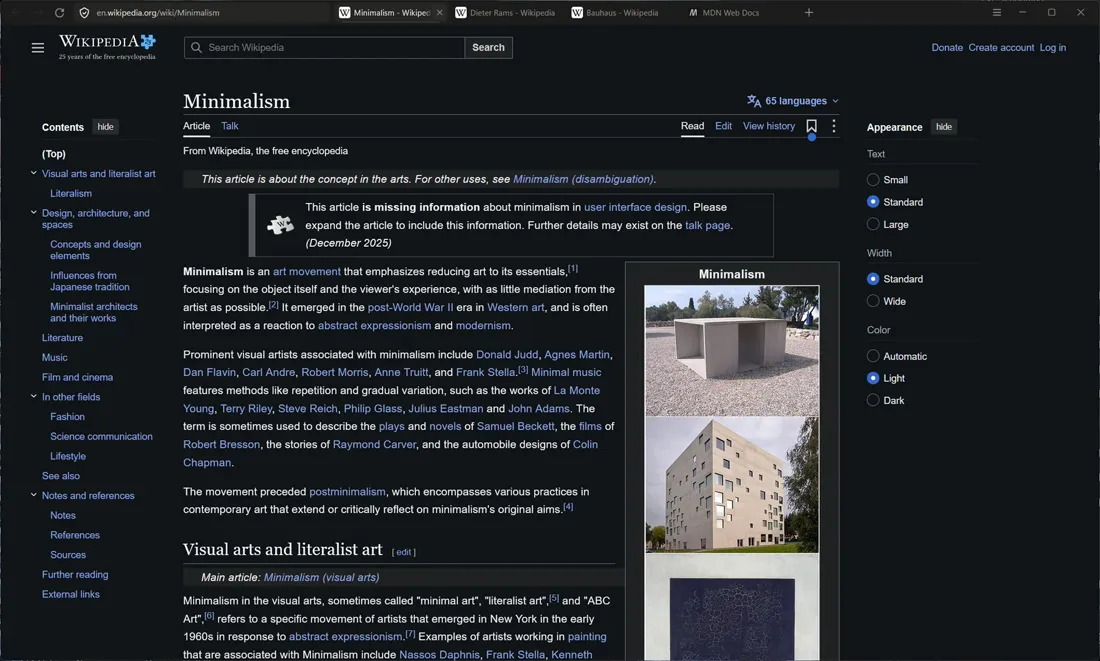
Minimal is a theme I made for Firefox. The goal was simple to say: make the browser quiet enough that the page is the only thing that shines, and make it something a normal person can install with one click and remove just as easily. It's at version 1.1, with a download on its own page. This is what I was after, how far it got, and the few decisions that make it feel quiet.
What I wanted
Out of the box, the top of Firefox is two rows of chrome with account and extension icons, divider lines and its own colours. I wanted one slim graphite row, one accent, and nothing else around the page: new tabs that open blank so you just start typing, bookmarks that wait below the bottom edge, a sidebar that stays off until you ask for it.
It didn't start as one theme. The repository holds four looks and a switcher between them: XP Classic (blue title bar, beige menu bar, Bliss on the new tab page), Luna 2026 (XP redesigned for now), Luna 2026 with Mac touches, and Minimal. The first three are earlier looks that keep Firefox's two rows and its menu bar. Minimal became the main theme, and the other three ride along in the switcher.
The second half of the goal mattered as much as the first. A theme like this is three files Firefox reads from a hidden profile folder at startup, and asking people to find that folder is a good way to make sure nobody uses it. So Minimal needed a proper installer, and a way back out that leaves Firefox exactly as it was.
Where it got
Version 1.0 was the first Windows installer: Minimal in two rows (tabs, then the address bar), with the hidden bookmarks bar, the blank new tab and pinned sites in the address dropdown. It was 70 KB.
Version 1.1, on 2 November 2026, is the current one. The address bar moved into the tab strip, so it's one row. The sidebar is off by default. The sidebar, the Library window, dialogs, prompts and Firefox's own pages all got the same palette. Every accent is one device pixel at any display scaling, and the small hover and open motions switch off when Windows animations are off. The installer is 106 KB.
What someone gets: download it, click past the "Windows protected your PC" screen (it isn't code-signed), press Install. Firefox closes for a moment and comes back with your tabs. Before touching anything it backs up your current setup, keeps your own preferences, and adds itself to Installed apps, where Uninstall puts everything back. It needs no admin rights and sends nothing anywhere. Even the download page got the same treatment, cut right down to one statement, one button with its checksum, a screenshot and three short points.
On 7 November the code got a proper home on GitHub, with the 1.1 release and its checksums, a build that compiles the installer on GitHub's own Windows machine and runs an install-then-uninstall test on every push, and a non-commercial licence: free to use, change and share, not to sell.
One row
Minimal moves the address field into the tab strip and puts ☰ at the far right, next to the window buttons. The row is 36px tall and every control in it is 28px, with 4px above, below and between. All of the colour comes from a handful of tokens: frame #1C1C1B, raised #262624, text #E8E6E1 and muted #8F8C86.
One pixel, exactly
There is one accent in the whole theme: a soft line under the current tab, white at 20% on graphite. Focus rings use the same line. The fiddly part is the thickness. At 150% scaling, a 1px CSS line is one and a half device pixels, which the screen smears into a heavy 2px rule. So the theme sets --m-hair per display density, keeping the line at one real device pixel wherever you are:
/* One true device pixel at any display scaling */
:root { --m-hair: 1px; }
@media (min-resolution: 1.25dppx) { :root { --m-hair: 0.8px; } }
@media (min-resolution: 1.5dppx)  { :root { --m-hair: 0.6667px; } }
@media (min-resolution: 1.75dppx) { :root { --m-hair: 0.5715px; } }
@media (min-resolution: 2dppx)    { :root { --m-hair: 0.5px; } }
@media (min-resolution: 2.5dppx)  { :root { --m-hair: 0.4px; } }
@media (min-resolution: 3dppx)    { :root { --m-hair: 0.3334px; } }
The demo above uses the same media queries (the readout in its corner says which value your screen got). When Firefox goes into the background, the accent drops from 20% to 8%.
Bookmarks below the edge
I like having bookmarks and I don't like looking at them. So the bookmarks bar becomes a small floating pill pushed down until only a 6px strip is still inside the window, fully transparent. Touch the bottom edge and you're hovering that strip, so it rises.
It's one transform, translateY(calc(100% - 6px)) with opacity: 0, eased back on :hover, :focus-within or :has([open]). With animations on, it takes 220ms on the theme's cubic-bezier(0.2, 0, 0, 1); with reduced motion it just appears.
An installer with one line
The installer is a small WinForms app in C# 5, built with the csc.exe that already ships with Windows, with the theme's three files embedded in it. Its window uses the theme's own colours and type, so it previews what it installs, and the progress bar is the theme's signature again: a single 1px line.
My favourite bit is a switch nobody will ever use: /render <folder> opens the window off-screen, walks through all eight screens and saves each one as a PNG, so a change to a sentence can be checked everywhere at once.
Open questions
The macOS variant is written (☰ at the right edge, room for the traffic lights, the system font) but nobody has checked it on a Mac yet. Firefox's error pages and the Add-ons recommendations still show a colour illustration, because it lives inside a shadow DOM that a user stylesheet can't reach. The switcher is Windows only and reopens Firefox with an extra blank tab, and holding Alt can make the menu bar cover ☰.
The bigger question is how long it lasts. A theme like this leans on Firefox's internals (the new address bar, its moz-* components, the separate documents for the sidebar and the Library), and a major Firefox update can move any of them. The stylesheet is split into 20 numbered sections so a breakage can be found by name. Whether that's enough, a few Firefox versions from now, I don't know yet. Two ideas are on the list after that: small per-site restyles, and an installer that can also add a few chosen add-ons.
- Built
- Version 1.1, November 2026
- Stack
- userChrome.css, userContent.css, user.js; C# WinForms installer; PowerShell switcher
- Lives at
- thomasalex.in/minimal
- Source
- github.com/tomxander/minimal-firefox-themes (PolyForm Noncommercial)
- Mockups
- Built with Stageshow by Benji Taylor